
What Is a Marketing Automation Platform? (And Do You Need One)
Marketing automation platforms are growing fast in search interest, but what do they actually do? Here's a plain-English breakdown, and how to know if your business is ready for one.
.png)
9 Ways to Improve Lead Follow-Up Speed in Pipedrive
In this article, I’ll show you exactly how to improve your lead follow-up speed in Pipedrive using a practical blend of native Pipedrive features and trusted integrations like JustCall, Intercom, and Mailchimp. No “secret hacks,” no vague advice; just repeatable workflows that remove friction, reduce lag, and stop leads from going cold.
From one salesperson to another: I’m Kile, Motii’s CRM expert, and I built this for those of us who want follow-up speed to be the default — not a weekly coaching topic.
Slow follow-ups almost always start with one common issue: nobody owns the lead yet. If leads land in a shared inbox, an unassigned view, or a “someone will grab it” stage, you’re already losing time. The fix is simple, ownership must be automatic.
With Pipedrive automations, you can assign new leads or deals based on rules like lead source, pipeline, deal stage, or custom fields. The point isn’t to build a complicated routing system; it’s to make sure every lead has an owner instantly, without the need for someone in the team to play traffic controller.
Why it improves speed: No more “who’s taking this?” delays. The first follow-up happens faster because the next action belongs to someone immediately.

Even if a lead is assigned, follow-up still slows down when the next step isn’t obvious. Teams aren’t failing because they don’t care, they’re failing because the CRM doesn’t force a next action. A lead without an activity is basically a lead you’re planning to forget.
Pipedrive workflows solve the issue by automatically create activities the moment a lead or deal is created, or when it moves into a stage. That might include a call activity due today, a follow-up task due in 30 minutes, or a reminder that triggers when a deal hits a “new inquiry” stage.
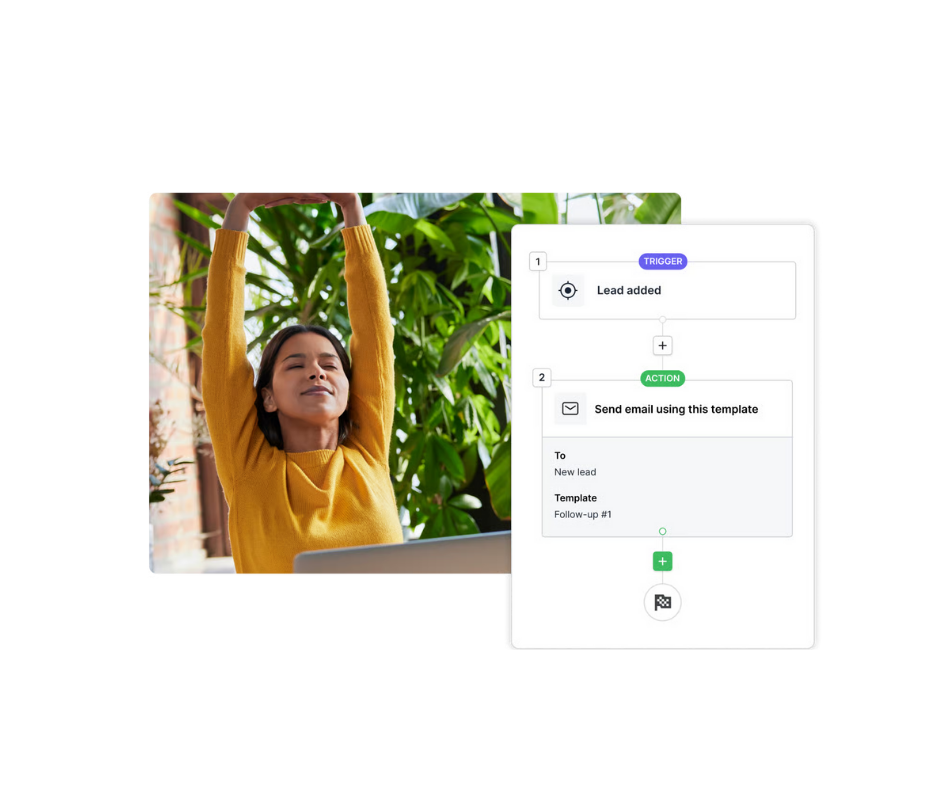
Why it improves speed: You’re turning follow-up into a built-in requirement. The CRM nudges reps toward action instead of relying on memory.
🚀 You might also like: The Hidden Cost of DIY CRM Setup (And Why Support Matters More Than You Think)
How many tools do your reps have to jump between to make contact? If calling means copying numbers into a separate dialer and then manually logging notes, the team will always be slower than they should be. The goal? Reduce the number of tools and you’ll increase your lead to deal speeds.
JustCall integrates with Pipedrive so reps can click-to-call from contacts and deals, while calls and outcomes sync back to the CRM. The real value here is reducing admin work: when calling becomes a one-click action inside the CRM, it becomes far more likely to happen immediately.
Why it improves speed: Less switching, less logging, fewer excuses. Reps can call the moment the lead comes in and still keep the CRM clean.
If someone is on your website right now, you’re in the best possible moment to respond — yet most businesses still treat that moment like it’s email. This is where real-time messaging tools earn their keep.
Intercom can engage visitors through live chat and automated conversations, helping you capture intent while it’s fresh. When Intercom is integrated with Pipedrive, teams can sync contact details and conversation context so sales can follow up quickly with the right message; not a generic “just checking in.”
Why it improves speed: You’re meeting prospects while they’re active and interested, which reduces time-to-first-touch and increases the chance you’ll actually get a reply.

Not every lead needs a call in the first 60 seconds; but almost every lead benefits from an immediate response that confirms you received their enquiry and sets expectations. Waiting for a rep to manually send the first email is an unnecessary bottleneck. This is ideal for “thanks for reaching out” messages, booking prompts, or quick introductions that buy your team time while keeping the lead warm.
Why it improves speed: The lead experiences a fast response even if your team is busy. And because emails are logged against the deal, you keep visibility without extra effort.
Sales follow-up shouldn’t carry the full load. If a lead isn’t ready to talk today, you still want them hearing from you, consistently, without a rep manually sending reminders.
Mailchimp integrates with Pipedrive to sync contacts and support segmentation so marketing can run automated or scheduled email journeys. This works well for new inquiries, nurture sequences, and re-engagement campaigns, while still letting sales focus on high-intent leads that need personal attention.
Why it improves speed: Marketing follow-up can start immediately and run in parallel to sales. You’re not waiting for “someone to remember” to send the next touch.
🚀 You might also like: How to Build a Tech Stack That Works With Your CRM, Not Against It
Here’s an uncomfortable truth: when everything is urgent, nothing is. If reps open Pipedrive and see a wall of leads that all look identical, follow-up becomes random — and random follow-up is slow follow-up.
Even without fancy predictive scoring, Pipedrive lets you create custom fields for lead score or priority, then filter and sort based on that. Whether that score is based on source, intent signals, form type, or manual qualification, the goal is the same: make it obvious who needs a response first.
Why it improves speed: Reps spend their first hour each day contacting the right leads instead of deciding what to do.
If your reps only notice new leads when they “get around to checking the CRM,” your follow-up speed will never be consistent. Fast teams don’t rely on checking; they rely on alerts.
Pipedrive can notify users when a lead or deal is created, assigned, or moved. Between in-app and mobile notifications, you can design a setup where the rep gets a clear signal the moment something important happens.
Why it improves speed: People respond faster to a ping than to a dashboard. Notifications pull the work to the rep instead of expecting the rep to hunt for it.
Finally, if you’re not measuring follow-up speed, you’re guessing. And the hard truth is when most sales teams guess, they usually assume they’re faster than they are.
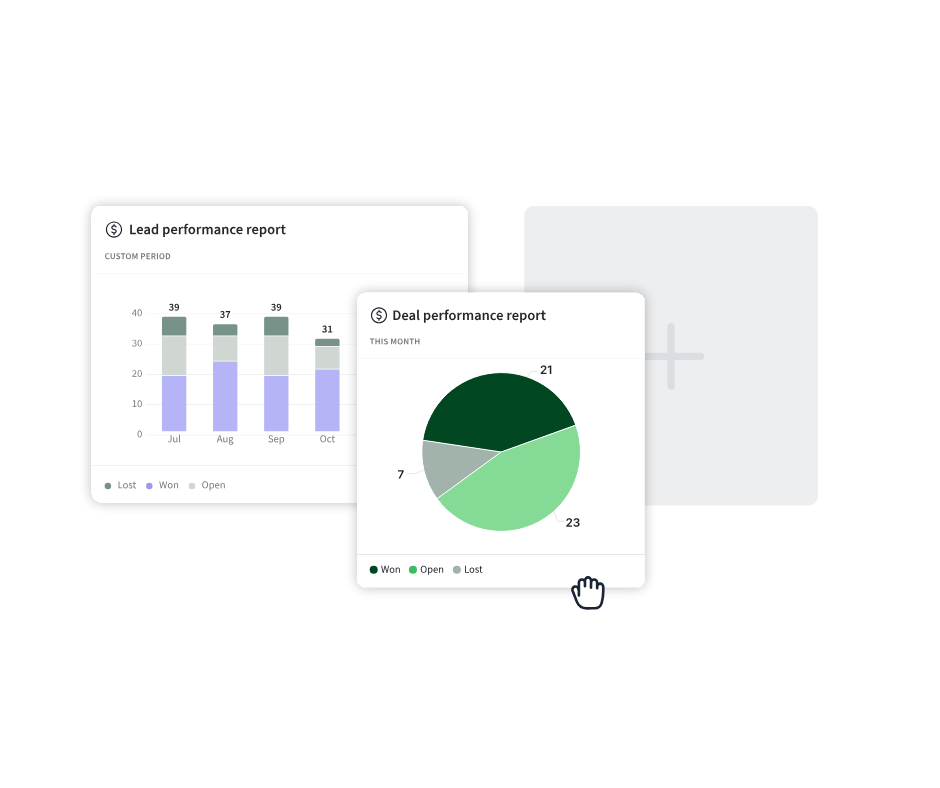
Pipedrive reporting can help you spot lag by looking at activity and pipeline behaviour — for example, how quickly activities are completed after a deal is created or moved stages. The exact reports you build will depend on your setup, but the principle stays constant: response time needs to be visible to improve.
Why it improves speed: When speed becomes measurable, it becomes coachable. And when it’s coachable, it improves.
🚀 You might also like: Your Pipeline Is Not a To-Do List (And Other CRM Misconceptions)
Improving lead follow-up speed in Pipedrive isn’t about adding more tools; it’s about removing friction. The best setups make the fastest action the easiest action: ownership is automatic, next steps are triggered, contact happens inside the CRM, and leads get an immediate response even when the team is busy.
If you implement even a few of these, you’ll stop losing leads to silence, reduce the “we’ll follow up later” pile, and create a sales motion that’s consistent; not dependent on your best rep having a good day.
Not using Pipedrive yet? Click here for a FREE 30-day trial and as a bonus, get a 1:1 demo with me or my team to discuss exactly how these tools could best work in your business.
Claim your free trial now.


Latest updates
Marketing automation platforms are growing fast in search interest, but what do they actually do? Here's a plain-English breakdown, and how to know if your business is ready for one.
Zendesk Sell is retiring in August 2027. Compare it honestly with Pipedrive, feature by feature, and find out if your migration could be an upgrade.


